
Please make a backup copy of your data first.
Click this button to Download the 2026 program (CLM Explorer)

Antivirus Software - Please turn off or configure your antivirus programs to allow CLME to function.
Select a location to save, Desktop for example, then click Open or Run depending on your browser.
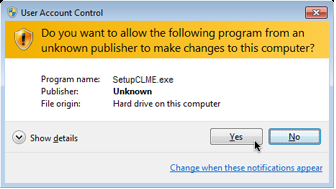
If you see a dialog screen similar to this - Choose Yes:
You will then see a series of screens similar to this:
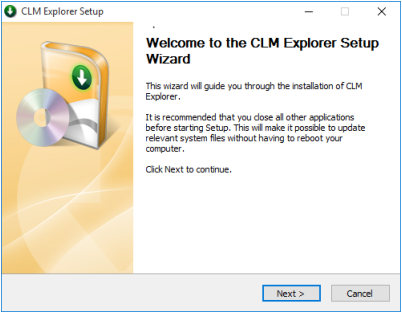
Click Next to continue.
I recommend accepting the default location of C:\Program Files\CLMExplorer as an installation directory.
That's it! I hope you find the new CLM Explorer program very beneficial.
Enjoy!
If you are not happy with CLME it is easy to uninstall. Follow these simple steps: